
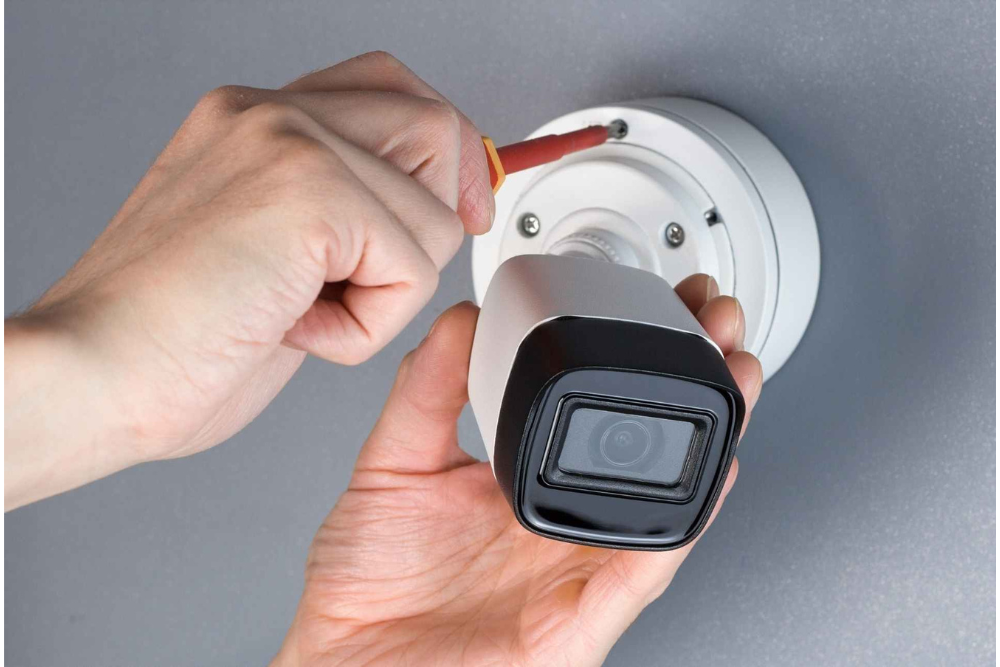
CCTV Installation Guide: Tips for Installing Security Cameras
Can you sleep soundly when you know that a strange, shadowy figure is lurking around the block near your home or office? Possibly not! According to Victoria Police Crime Stats, 2024, in Melbourne, most burglars target homes with no visible security. Now, the next question that comes to your mind is, how can I protect my home or business from intruders and burglars?
The answer is to invest in a quality CCTV camera installation It doesn’t matter whether you reside in Melbourne or Glen Waverly; a well-installed CCTV on your property brings you peace of mind.
Hold on a second; before you start drilling and mounting cameras, you need to do a bit of planning. Blind spots and poor video quality are results of a hasty and poorly planned setup. You can even face some legal issues because of that. For a smooth CCTV installation Melbourne, all you need to do is follow these tips.
Why Is CCTV Crucial?
No doubt Melbourne is a safe and vibrant city, but it’s also prone to property crime. Unfortunately, crimes such as package thefts, car break-ins, and trespassing have become common events. But don’t panic? Most criminals are opportunists, and the presence of visible CCTV Security Systems Melbourne is enough to scare them off. For homeowners, it helps to create a safer environment for their families. For business owners, it helps to protect stocks, keep employees in check, and serve as evidence if something goes wrong.
Tip 1: Plan Your Coverage Areas
Before you install any CCTV cameras, walk around your property and look for the easiest entry points, dark corners, and blind spots. Areas that you need to consider:
- Front & back doors
- Garages & Driveways
- Side Gates & Alleys
Tip 2: Height & Angle
Most people either mount cameras too high or too low; neither of them is good. High-mounted cameras can miss facial details, especially at night. Whereas low-mounted cameras are prone to theft and damage. The sweet spot is about 2.4 to 2.7 meters (8 feet) off the ground, with a slightly downward angle. It gives you a wide field of view without sacrificing facial recognition capabilities.
Tip 3: Use The Right Camera That Fits The Job
Not all camera offers offer the same quality. When you are in the initial stage of planning your home security camera installation, take a look at these different types of cameras available:
- Dome Cameras: Perfect for indoor or ceiling-mounted use, as they are discreet and hard to tamper with.
- Bullet Cameras: Better suited for outdoor use because of their long-range capabilities and obvious deterrence.
- PTZ Cameras: Most suited for larger areas such as car parks or warehouse spaces, as they can pan, tilt, and zoom.
- Wireless or Wired: Wireless cameras are easy to set up, but they need a stable Wi-Fi connection. When it comes to consistent power and video quality, wireless cameras are great, but they are a bit tricky to set up.
Additional Tip: If you are planning to install cameras outdoors, make sure that the cameras are waterproof.
Tip 4: Don’t Skimp On Storage
Once all the cameras are installed, you need to figure out where all the footage will go. Most CCTV systems record footage to a DVR (Digital Video Recorder) or NVR (Network Video Recorder). The amount of footage stored totally depends on the storage capacity of the hard drive and the resolution of the video.
For most homes, 1 week of video retention is sufficient. While businesses may need to keep records for longer periods of time due to insurance or compliance requirements. If you want to remotely access the footage from your phone or computer, it’s best to go with a system that offers cloud backups or mobile app support.
Tip 5: Follow Local Laws & Privacy Regulations
In Victoria, there are certain laws related to privacy that you need to look into before installing CCTV Security Systems Melbourne. For instance:
- You cannot record others' audio without their consent, even on your own property.
- Your cameras should not be pointed toward your neighbor’s property or private property.
- You need to inform your employees if you are installing CCTV in a workplace.
If you are not sure about local regulations, ask a licensed CCTV installer.
Tip 6: When in Doubt, Leave It To Pros
It sounds like a lot of work, but it’s worth it. But if you are not tech-savvy, then you will definitely be exhausted. Select a professional CCTV installation in Melbourne, like Geeks Around, if you want everything done right the first time. From laying down wires to system configuration, Gees Around will handle it. We will assist you in choosing the right gear, install it, and make sure that everything runs smoothly. Our job is not yet finished—we also provide post-installation support, remote access setup, and troubleshooting when required.